Yecheilyah’s Book Reviews – Even Rain is Just Water: A Memoir of Rejection, Revelation & Redemption by Lynette Davis

Title: Even Rain is Just Water: A Memoir of Rejection, Revelation & Redemption

Author: Lynette Davis

Print Length: 296 pages

Publisher: Reflections Books; 1 edition (May 30, 2017)

Publication Date: May 30, 2017

Sold by: Amazon Digital Services LLC

Language: English

ASIN: B071DC83TN

*I received this book as a gift from the author*

When I first read the title of this book, I knew that I would read it. With a powerful statement, as Even Rain is Just Water it had to be good. I was not disappointed. Lynette Davis gives us a riveting account of her life as the victim of emotional abuse at the hands of someone who is to be a girl’s first teacher, supporter, and motivator. Her mother.

The testimony switches back and forth between Lyn’s experiences as a child and as an adult, both of which include some form of emotional abuse and neglect. Lyn’s mom treats her sister Vanessa better than she treats her and at just three years old Lynette concludes that she is unwanted and unloved. One of the most heartbreaking moments for me was when Lyn and Ne-Ne were at her mother’s friend’s house eating some good food and Lyn approaches mom to ask for more potato salad. The way in which she asked was filled with such innocence that it made my heart melt. As someone who has worked extensively with children, I can just hear the tiny voice ask, “Can I have some more ‘tater salad, please?” To my astonishment, Lyn was chastised for saying ‘tater salad instead of potato salad.

There were many of such incidents as this one that made Lyn bow her head in shame. Ella’s sisters also seemed to give her the same treatment, like Aunt Cleo using Lyn and Ne-Ne as if they were her personal servants, promising to take them shopping only to have them washing her dishes. I wanted to jump through the book and tell her about herself. That was bogish all the way around.

When we got to Lyn’s adult life and her marriage to Ray, things did not look much better. Ray seemed to check out and Ella treated her grandchildren with the same level of disdain as she did their mother. Despite all this, Lynette does not lash out or rebel the way we may think. Lyn is kind, compassionate, and takes the abuse with a strength that not many people in this world understand or that many people could appreciate. It takes strength and courage continue on to be a kind-hearted person in a cruel world.

What I absolutely loved was how Lynette gave us a glimpse of the time by the many historical events that happened and what she was doing when it happened. Everything from the death of MLK, the Rodney King beating and even the shooting and eventual death of Tupac. As Lynette lived her life, all these things were happening around her and we get to witness them in real time. She even did this with the music. The New Millennium craze was funny when her friend said, “They didn’t believe Noah either.” I remember that time and how hyped everyone was that the world was coming to an end. These kinds of historical events infused into the narrative as well as the music of the time, for me, provided the story with light and was refreshing amidst the suffering.

Overall Rating: 4/5

Even Rain is Just Water is Available Now on Amazon

Be Sure to Follow Lynette Online. Also, you can learn more about her in our interview HERE.

Twitter: wewalkbyfaith88

Poetry Contest Reminder: Closing July 19, 2017

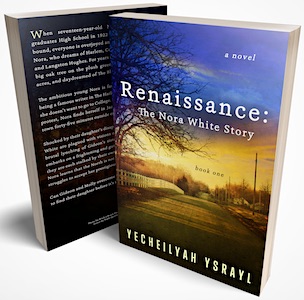
As you all know, I am running my first ever poetry contest in honor of my upcoming release Renaissance: The Nora White Story (Book One) which features poetry and is available now for eBook preorders.

Click Here to order at the low price of $1.99 before the price goes up on July 15th.

This book will also be available in paperback.

You can help further by marking Renaissance as to read on Goodreads. CLICK HERE.

Now, poetry…

I am writing to remind you that this contest will end soon!

First, what is this all about? For those of you who have not already checked into Colleen’s Blog where I made the initial announcement on June 19, 2017,  here are the rules:

The Poem

Submit one or two original, unpublished poems to Yecheilyah at yecheilyah ysrayl dot com (yecheilyah@yecheilyahysrayl.com) between now through July 19, 2017. You will have until 12:00 midnight Central Standard Time on 7/19 to get your poems in before closing.

Poems must be your ORIGINAL work and UNPUBLISHED anywhere online.

There is one winner of this contest with up to 2 entries per poet.

Entry Fee:

There is a $5.00 Entry fee. Click HERE to pay the fee.

OR – Entry fees can be waived by signing up for my email list HERE. There is no other way to waive the fee.

If you are already on my email list, please mention this when submitting your poem.

Signing up for my email list represents one entry.

If you are entering more than one poem, you must pay the entry fee for any additional poems.

The Reason for the Fee:

The entry fee is in place to help pay for the prizes.

Current Prizes

At this time, we have one Grand Prize Winner who will receive:

  • Poem published to The PBS Blog (includes links to your social media, buy links to your books (if any) and promotion.)

  • Amazon Gift Card

  • Letters to a Young Poet by Rainer Maria Rilke

  • *From When I was a Black Girl by Yecheilyah Ysrayl

  • And Still, I Rise by Maya Angelou

*From When I was a Black Girl is my second collection of poetry. First published in 2012 with a second edition published in 2013, this book became a book of study at The Evergreen State College in Tacoma, Washington for the Fall 2014 semester. Part of an Independent Learning Contract, it remains part of the school’s files to this day. It is my honor to offer a paperback of this collection as a winning prize for this contest. This is an exclusive offer that you will not find on Amazon.

International Shipping

Please note: Winners outside the U.S. will be awarded Kindle downloads of the books listed if someone overseas wins.

Final Thoughts:

The winner will be announced on Monday, August 6, 2017 on both this blog and Colleen’s.

(If you win, you will be notified a couple days before the announcement via email you have won and that an announcement will go out featuring you. This is so that we can collect your information, social links and links to any books you have out if any).

The Grand Prize Winner will have their poetry featured on The PBS Blog with added promotion. The date for this will be revealed to the poet after they have won.

To enter this contest, please send $5.00 to the PayPal of Literary Korner Publishing HERE.


To waive your fee, please sign-up to my email list HERE.(Verification of sign-up will be reviewed before poem is accepted).


Send your poem to Yecheilyah @ yecheilyahysrayl.com

The Theme

Since Renaissance follows the theme of The Harlem Renaissance and Black life in the South, poems should have something to do with these themes and can be as long or as short as you would like. The contest is open to all poets.

I understand not all of you are familiar with this era so I am opening this up a bit. The theme will remain the same but it is not mandatory. Poems of all kinds will be accepted and considered for the win.


Would a focus on the 1920s era and women in general be nice? Yes, but it is not required to win. Consider this open mic!


If you didn’t see the original announcement, CLICK HERE to learn more.


That is all and I look forward to reading your poems!

Shortlinks and Pingbacks

Sometimes you’ll have a post you would like to share on a social platform as limited as Twitter where only 140 characters are allowed. Or, you may want to give a link to someone of your blog post but…it hasn’t exactly gone live yet. You can do both by way of using short links.

A short link is a way of providing a link to a post that is shorter than the permalink. Also, like I said, you can use it to send people the link to a post that has not gone live yet. (They won’t see anything until it is live). It is how I give direct links to authors of the Introduce Yourself Interviews on this blog. They can use it to go directly to their post (in case they don’t see it show up in their email or reader or if they are not already following this blog).

To access your shortlink:

After drafting your post be sure you are in the old editor.

Note: It’s easier in the old editor. I have found that if you click on the link icon next to the post headline in the new editor you can copy the link. As seen here:


However, it is not a short link. If anyone knows how to get the shortlink while in the new editor, it is appreciated!

So, in the old editor…

Under your headline you will see the permalink to your post or the permanent link to that post.

Right next to it you’ll see Edit….

(…..where you can edit the permalink. This is useful when you change the title to your post which I’ve done sometimes. I noticed changing the headline does not change the permalink. For the permalink to match, you’ll have to edit it. I caution that this should probably not be done if the post has already been shared. For example: I recently published a post to this blog called: “4 Ways Commenting on Other Blogs Can Help Your Blog to Grow.” I publish my post midnight my time because I know that while I am sleeping, many of you on the other side of the world is up. That said, by the time I woke up the post was already being reblogged. The problem is that I had five bullet points, not four! I changed the headline to 5 Ways Commenting on Other Blogs Can Help Your Blog to Grow. BUT I DIDN’T CHANGE THE PERMALINK. (If you notice, the link still says 4) This is because I don’t want to mess up the reblogs I already got. It would be a shame for someone to go to that link and that 404 message shows up. I am not sure if it will but I would not risk it. If the post has already gone live and you need to change the headline, leave the permalink be just in case).

….I digress (as usual, dang)

Next to edit is Get Shortlink. Click on that and copy and paste your shortlink. It is a shorter link to your post instead of the long permalink.

Note: If there is nothing written in the post, you will not see the shortlink button.

Pingbacks

When someone links to your blog or a post on your blog within their post, you get a comment in your comments section of that link back. That’s a pingback.  It means someone is literally, piggy backing off your post. This gives people a chance to share your post without re-blogging with credit back to the original owner. Google defines it:

  1. an automatic notification sent when a link has been created to a person’s blog post from an external website, allowing a reciprocal link to that website to be created.

Sometimes I pingback to my own post. Whenever I place a link to a previous post within my own blog post  it creates a pingback link in the comments section of whatever post I am linking back to. My Introduce yourself feature is the perfect example. Go to the comments section and scroll down. Because I link to the original post from every guest post, you will see them in the comments section.

Screenshot (663)

The first one is my pingback and the others are from others. Either way, they are all in the comments section of the original post. You can click on those links to go to the that post and since people can be notified of new comments (if they check “notify me of new comments” when making one), they can be notified every time a new Introduce Yourself interview is posted because it will link-back like a comment. No Writers Wednesday is the same way. Every time I say to “Click here to learn more about this segment” with a link to that original post, I am creating a new pingback in the comments section of that post. Although this was done by accident (and is always weird since I get a comment from myself) it has turned out to be a good thing. Link juice at its finest.

Pingbacks are also an alternative to re-blogging. While I’d rather reblog, ping-backs can be used to share posts as well.

Google Launches ‘Lynching In America’ Project Exploring Country’s Violent Racial History

“The history of lynching and racial terror in America is the focus of an ambitious new project launched Tuesday by Google, in partnership with the Equal Justice Initiative.


Google has helped create a new interactive site titled “Lynching in America,” which is based on an 80-page publication by the EJI. Its research has been adapted into a powerful visual narrative about the horror and brutality that generations of black Americans have faced.


The site consists of audio stories from the descendants of lynching victims, and a documentary short called “Uprooted,” which chronicles the impact of lynching on black families. The project also includes an interactive map that details locations of racial terror lynchings, complete with profiles of the victims and the stories behind their deaths.”

SOURCE: CLICK HERE TO KEEP READING: Google Launches ‘Lynching In America’ Project Exploring Country’s Violent Racial History

15 Lessons I’ve Learned about Writing So Far – Guest Post by Yecheilyah Ysrayl…
Got something short and to the point for you this month on The Story Reading Ape Blog (because next month is eck! Release month!…but I digress…lol) With every book I write I learn something new. Here are 15 things I’ve learned so far in my journey.

Chris The Story Reading Ape's avatarChris The Story Reading Ape's Blog

I’ve been writing for eighteen years now and publishing books for ten. Over the years I have learned so much. Sometimes it can be overwhelming as you’ll begin to feel as if you are always two steps behind. That’s how I’ve felt lately. There’s so much to learn and to understand that I often feel I’ll never know enough. Then I realized that’s the whole point. The person who stops learning is an empty person.

I present to you 15 things I’ve learned so far in my journeys. It was difficult to downsize to a 15-item list but I managed it. The top five things are the last five at the bottom. It will seem that some of these things should be further down the line. That’s because the most important lessons I’ve learned are not about just writing alone but also how I’ve changed or grown as a person…

View original post 490 more words

5 Ways Commenting on Other Blogs Can Help Your Blog to Grow

  • It Introduces You

When you comment on a post that interests you (or disinterests you) on other blogs, it introduces you to that blogger and everyone else who sees your comment. If they’ve been blogging awhile, rest assured they will click on your name and check out your blog (Do be sure your name is linked to your blog. Jason Cushman explains how to do so HERE.)

Here’s a screenshot of an example. Even though the name of my blog is Pearls Before Swine when I comment what shows up is my actual name and photo so that it is understood immediately who I am and what I look like (in real life). Click on my name and it will take you to my blog.

  • It’s a Reminder

I follow over 400 blogs over the course of the three years I’ve been blogging. There’s no way I can keep track of them all and I won’t pretend as if I do. I don’t like or comment on everyone’s post. It’s just impossible. Likewise, bloggers that follow me don’t get to see and interact with my every post. I’m not crying about it.

There is a way to remind others that you exist and it is by supporting their blogs.

When you drop a comment on someone’s blog they are reminded of your support and will undoubtedly want to return the favor. I’m not saying be fake with your commentary. I am saying that support begets support. When people I don’t know comment on my blog, I click on their profiles and visit their blogs. I may even decide to follow said blog. In most cases, I do.

  • It Connects You / Builds Genuine Relationships

Commenting in the world of the Internet is the same as being involved in a conversation. Commenting on other blogs helps you to make a connection with others. It’s good because you don’t just connect with the home blogger, you also connect with their followers. It’s a form of genuine relationship building. You may discover you write in the same genre, both are allergic to something, both love the same foods, colors, both love History, etc. You may even want to join the same groups. I have connected to many of you better because of you commenting on my posts. We have in turn followed each other’s blogs, joined the other’s email list, bought the other’s books, and know more about one another. All because of commenting on the other’s blog.

  • Adds Value / Authority

When you leave comments on other blogs, it helps to add value and authority to your blog via search engines by way of back-links, which generates traffic. Here is Backlinks explained by the Shout Me Loud Blog:

“Backlinks are incoming links to a web page. When a web-page links to any other page, it’s called a back-link. In the past, back-links were the major metric for the ranking of a web page. A page with a lot of back-links tended to rank higher on all major search engines, including Google. This is still true to a large extent. Here is a glossary of common terms related to back-links that you should know:

Link Juice: When a web page links to any of your articles or your website’s homepage, it passes “link juice”. This link juice helps with the ranking of the article, and also improves the domain authority.

  • More Subscribers

Commenting on other blogs brings more traffic to your site because of link juice and can lead to more subscribers. This is especially true if you leave detailed, well-thought out comments because it is a glimpse into the kind of content that can be found on your blog. Again, if the blogger is like me he/she will be inclined to click on your name (which you would have connected to your blog site) and check out your blog to discover more about you.

Combined these elements can help your blog to grow by:

  • Increasing Traffic / Views
  • Increasing Blog Subscribers

Before we go, make sure:

  • You don’t go around randomly commenting on people’s post after reading this. There is no right way or wrong way to blog but I have learned that such things as this must be genuine to work so don’t be fake, people can tell.
  • Your blog name is actually a name. Either your business name, Sara, Ann, Brandon, or Bob. Not 123_T or Princess_456.
  • Link your name with your blog so that when people click it this will take them to your blog. Learn how HERE.
  • Add an image to your gravatar. Preferably, a company logo or head-shot. I find human images better because it’s already difficult to trust people over the internet. Being transparent from the beginning by showing an updated image of your real self (Company Logos are good too) goes a long way. This is especially true if you’re an Independent Author. A brand tip is to make sure your author image and author name is the same across all your social platforms. I had to recently update mine so I am only saying this because I’m not very good at branding myself. I am working on it however and my first step was to go back through my social’s and ensure they all have the same image so that I am easy to find. I changed them all to the same picture and will also not keep changing them.
  • Make sure there’s a FOLLOW BUTTON on your blog so that when people are exploring and they like what they find they can follow you in the easiest and quickest way possible.

Note: The headline to this post has been changed to 5 Ways. When I first drafted it, I only had 4 ways. I’ve just went back over it and see there are five bullet points. I have not changed the link (which still says 4 ways) because this post has already been reblogged. Please excuse the miscount. 


REMINDER: I still need your Thunderclap support! Help me reach 100 Supporters before July 15th. It’s free, easy, and only takes a second. We’re almost there!

http://thndr.me/GzKxUh

Things to Remember when Seeking Book Reviews


Craft a Professional Email

There’s a lot that goes into what it means to be professional so I won’t linger, but you don’t have to have worked in corporate to understand it. In today’s world, you don’t have to be anyone special to get tons of emails. With Social Media, everyone practically has one as it is needed for most social media platforms. In short, we all get them and we all scan and then delete them. To increase your chance of getting your email noticed, be sure your email is first professional.

Don’ts:

  • Don’t use a blanket “To Whom it May Concern” or “Dear Blogger” or “Dear Book Blogger” or worse “Hey”
  • Don’t talk about how good the book is.
  • Don’t abbreviate words. This isn’t a text message. This is a professional business correspondence. (no IKR, THUR, THO, etc.)
  • Don’t attach your book(s) to the email. You don’t know if we want to read it yet.
  • Don’t post the details of your book as if writing a book review (Title, Author, Publisher, Number of Words.)
  • Don’t keep emailing the reviewer to see if they saw your email.

Do’s:

  • Do address the reviewer by name.
  • Do tell us what the book is about. (Instead of telling us the book is good, tell us what the book is about.)
  • Do offer a complimentary copy of the book (offer, don’t attach automatically.)
  • If you like, do post a few reviews you already have (this is evidence that the book is a good read and is better than you just saying that it is. I would recommend not to overdo it though. Just a few will suffice.)
  • Do sign your name.
  • Do include ways that we can contact you (an email signature is nice with your name and social handles at the bottom.)
  • Do wait patiently for a response.

Visit that reviewer’s website or blog.

This is how you learn our names and find out more about us.

We talked about the email but not all reviewers accept unsolicited email inquiries (I don’t. I have a submission form authors must use to register their book first.) Reviewers who are also bloggers usually have guidelines for how to contact them. If they have a website or blog, visit them and follow their blog so that you can know if they are a good fit for your book or not. Reviewers also tend to have guidelines for how to send information in for a review on their blogs/websites. Find it and read it. Pay attention to every detail and be obedient to the rules. This is like the big pink box on the reviewer’s virtual desk. We love responding to people who are professional and who follow the rules. You can’t ignore the big pink box.

Look for reviewers in your genre.

One of the biggest mistakes I’ve made is hustling to get reviewed by anyone who would want to review my book. This is OK. I am by no means saying it is wrong as I sure will be interested in submitting to those of you who show interest in reviewing Renaissance, Histfic or not for sure (let’s just go ahead and keep it all the way real). But, I must also admit it’s not the smartest thing in the world either. It is much more difficult to score high ratings or an understanding of the content from readers who are not familiar or are not interested in the kinds of books that we write than those who do. I am not saying it is a guarantee that those of your genre will rate you high or give you a positive review, not at all. However, they will understand your story better. I am not into Horror novels for example. I just never got into them. Although I would read a well-written horror novel, I am less likely to enjoy it as much as a Young Adult novel or Black Literature. There are also elements I may not fully understand.

Be polite.

It’s no secret that some authors are arrogant. I am not sure why, but it is obvious from the start. (Even though being a #1 Amazon Best-Seller for an hour literally means nothing.) Publishing a book does not give any of us the authority to talk down to people. Nothing does. If you are querying a book reviewer, be as polite and considerate of the reviewer’s time as possible. Not just for the sake of your review but for the sake of your integrity as a person period. Just be a good business person and kindhearted regardless.

Be time sensitive.

Book bloggers have tall “to be read” piles. A “to be read” pile is a pile of books you’ve already committed to reading and have not gotten to yet. With Reviews being so important, Indie Publishing being what it is today, and Book Bloggers willing to review Indie Books at a rate much faster than anyone else, book bloggers have a lot on their plate. This means you are on their time. If you give a time limit for the reading, don’t sweat it if the reviewer didn’t finish in time. You don’t know what that person is going through in life or their reading speed. If you are not giving a final copy, be sure to let the reader know this is an uncorrected manuscript.

It’s OK to request the book to be read in a certain amount of time. Those who have the time will do so. However, if they happen to read beyond your time, let it be. Don’t push. It’s a respect thing.

Don’t assume.

Your writing is never measured by how others respond to it so don’t assume you know what the reviewer is thinking. And no matter how disheartening (I know, I hate it too) don’t take the feedback to be a personal attack on yourself. That’s difficult, I know. One of my fears was that people will make assumptions about who I am or what I do because they don’t understand me. However, I cannot worry about that. Nor can I grow from it. Sometimes you just gotta swallow spit and keep it moving. If not then we get all emotional and the result is an author who curses out the reviewer or disrespects them because they said they found two typos. TWO. The author didn’t wait to read that the reviewers ALSO loved the story. Now the person who was going to rate you 5 stars has decided to lower the rating or not to rate you at all. I don’t change my ratings personally but the moral of the story is to never assume you know what the reviewer is thinking. Wait for the reviewer to reveal to you his or her thoughts on the book. Assuming makes a…well, we’ve all heard the saying. That.

Final Thoughts:

  • If you’re wondering, authors can still give free book copies to readers in exchange for honest reviews.


  • If you have received a copy of an authors book for review, be sure to mention that you received the book in exchange for an honest review or that you received the book as a gift from the author at the front end of the review so that it is published on amazon. (By front end I mean before you post your review mention you received it as a gift if you did not buy it.)


  • Anyone registered with Amazon can write a review as long as they adhere to the guidelines. Doesn’t matter if you’re verified or non-verified.


  • If you are a reviewer who reviews books on your blog (or features authors on your blog that requires you link to their books) be sure to use the direct link to the book on amazon and not the entire link. By direct link, I mean everything up to the ASIN number. Anything after that is extra and Amazon uses it to track. This can be why reviews are being removed.

Here’s an example of a direct link: https://www.amazon.com/dp/B01BNYQ7JY < all those letters and symbols that usually come after this is not needed

  • Leaving an Amazon review doesn’t mean writing a literary critique. (There are those who do but you don’t have to.) You are just leaving us your thoughts / opinions about the book. For instance: Go to Amazon.com and find a book you have purchased / read. Scroll all the way down to where you see Write a Customer Review. Rate it and write what you liked/disliked about the book. That’s literally it.

ps. We’ll pick up with Black History Fun Fact Friday next week, time permitting. I should also be finished with a book I am reading in time for another review.

pps. I am going away with the Hubby this weekend (whoo hoo!) so I may be late in responding to comments after tonight (Friday 6/2). I will come back and post pictures of our adventures!


“Don’t make the mistake of thinking that because blogs are technically “social media,” that standard rules of business etiquette do not apply. A query to a blogger—whether you’re asking for a review, interview, spotlight, or guest spot—is a business letter. Would you go to a job interview without bothering to find out if the business is a fashion boutique, a pharmacy, or a XXX porn theater? I didn’t think so. So use your head and put your businessperson hat on it before you hit “send.” – Anne R. Allen, Ann R. Allen’s Blog with Ruth Harris