Nora PreOrders

Note: This post is pre-scheduled to go out. I am away from the computer at the moment so it may take me awhile to respond to comments.

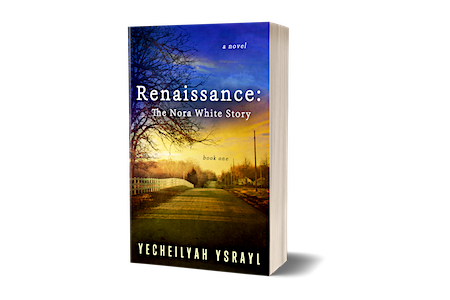
Renaissance: The Nora White Story (Book One) is now available for eBook preorders.

Get it now. The price goes up July 15th!

{The paperback will be available July 15th}

Coming to Amazon | Barnes and Noble | Kobo | Appleibookstore | In eBook and Paperback

WWW.YECHEILYAHYSRAYL.COM

Interview with author Yecheilyah Ysrayl

Thank you Ari for having me.

Ari's avatarAuthor Ari Meghlen Official Website

This week’s guest post is the wonderful Yecheilyah Ysrayl, author of The Nora White Story who gave up her time to answer some interview questions! Enjoy.

EC pictureQ01 – Have you always wanted to be a writer?

Thank you, Ari, for having me and yes, I’ve always wanted to be a writer. It’s one of those things for me that has always been constant in my life.

Sometimes as small children we dream of careers completely different than our ambitions as we age. Maybe we start off wanting to walk on the moon to see if it’s really made of cheese and then grow up and want to be a teacher. I was not that child. I have always wanted to be a writer in some form or another before anything else.

View original post 1,938 more words

Colleen’s Coming Attractions – “Renaissance – The Nora White Story,” by Yecheilyah Ysrayl

Learn more about Renaissance in Colleen’s Feature of my soon to be release. As stated I am still away from the blog but I will be re-blogging any guest posts or interviews as they come in. Introduce Yourself will also continue to go out on Mondays so be sure to stay tuned for a chance to meet some amazing authors in our Indie community.

Before the Week Ends: Important Reminders

Hey Guys!

Before you tuck in for the week, I want to remind you of some important things that are going on. First, with the Renaissance release date coming up I will not be very present in the days to come. However, you will see me around so do keep your eyes open. I’ll still be reading and commenting on your blogs and all that good stuff. After release I will take a short break before getting back on the grind. I still have to get Book Two ready for the December release but I intend on taking some time off first.

Poetry Contest

If you have not already heard, I am hosting my first poetry contest on Colleen’s Blog with some amazing prizes. Please do head on over to see how you can participate. I will be doing more promo posts for it but in the meantime, head on over. Also, if you have any questions please do not hesitate to inform me. I also appreciate as much promo of the contest as possible just remember:

It will help us if you could promote the original post. Not this post but the one on

>>>Colleen’s Blog HERE. <<<

Nora Book Giveaway

I have not been promoting this much, I admit. Part of the reason is that I did not time it well. In the future, I intend on using a better program and being more organized (didn’t mean for everything to be so close). BUT, there is still room to win!

Fifteen people have already entered for a chance to win a signed paperback copy of Renaissance with a matching bookmark and my author seal. That’s not all. Winners will also win a $10 Amazon Gift-card. I am choosing two winners so go ahead and jump on it.

CLICK HERE to enter but hurry. There are only 3 days left!

Thunderclap

If you have not already supported my Thunderclap, there is still time. I am EIGHT  people (at this writing) away from my goal. It’s free and only takes a second. Thanks so much everyone for the support.

UPDATE: I have made my goal! If you would like to still support, you can. There’s still time left on the clock which means from now I can gather as much extra support as possible before the big day.

CLICK HERE to support with Facebook, Twitter, Tumblr or all three (I move up three points when you use all three).

If you would like to learn more about what Thunderclap is, CLICK HERE for my post and why you should support me. (Also keep in mind that after the campaign I am publishing the results and my thoughts on this blog. I am saving my data to share with you. Should authors use it? Or no? I’ll share my experience. Stay tuned.)

Social Media

If you are not already following me online, now is a good time to do so! It will help you stay in tune while I am away.

Facebook

Twitter

IG

Email List Sign-Up (If you really want the goodies!) Join HERE

The Seed

It’s not always easy to endure, but may today be different. May the seeds of goodness root themselves in your souls. For without seeds the earth is barren land. Do not worry then if things do not start out as tree stumps, for even it started first as a seed. From there the seed grows roots and they lock and load themselves into position, like protest hands before the face of Civil Disobedience, we shall not be moved. Roots are the key, for once the roots have super glued themselves in good soil a seed gives birth and a tiny plant eventually breaks through. When this happens, we say that a seed has sprouted. And so, today, may your seed sprout. May it become one with the soil in which you’ve planted it, and may it root itself. Understand that it must first start off as a seed. Tiny. Unnoticeable. Fragile. Weak. With my fingers, I can crush a seed. Do not worry then if things shake up a bit. If you trial. If you struggle. If you go unnoticed. If you feel at first small, insignificant, and delicate, for once the tree was. And now, see how it towers above us.

Shortlinks and Pingbacks

Sometimes you’ll have a post you would like to share on a social platform as limited as Twitter where only 140 characters are allowed. Or, you may want to give a link to someone of your blog post but…it hasn’t exactly gone live yet. You can do both by way of using short links.

A short link is a way of providing a link to a post that is shorter than the permalink. Also, like I said, you can use it to send people the link to a post that has not gone live yet. (They won’t see anything until it is live). It is how I give direct links to authors of the Introduce Yourself Interviews on this blog. They can use it to go directly to their post (in case they don’t see it show up in their email or reader or if they are not already following this blog).

To access your shortlink:

After drafting your post be sure you are in the old editor.

Note: It’s easier in the old editor. I have found that if you click on the link icon next to the post headline in the new editor you can copy the link. As seen here:


However, it is not a short link. If anyone knows how to get the shortlink while in the new editor, it is appreciated!

So, in the old editor…

Under your headline you will see the permalink to your post or the permanent link to that post.

Right next to it you’ll see Edit….

(…..where you can edit the permalink. This is useful when you change the title to your post which I’ve done sometimes. I noticed changing the headline does not change the permalink. For the permalink to match, you’ll have to edit it. I caution that this should probably not be done if the post has already been shared. For example: I recently published a post to this blog called: “4 Ways Commenting on Other Blogs Can Help Your Blog to Grow.” I publish my post midnight my time because I know that while I am sleeping, many of you on the other side of the world is up. That said, by the time I woke up the post was already being reblogged. The problem is that I had five bullet points, not four! I changed the headline to 5 Ways Commenting on Other Blogs Can Help Your Blog to Grow. BUT I DIDN’T CHANGE THE PERMALINK. (If you notice, the link still says 4) This is because I don’t want to mess up the reblogs I already got. It would be a shame for someone to go to that link and that 404 message shows up. I am not sure if it will but I would not risk it. If the post has already gone live and you need to change the headline, leave the permalink be just in case).

….I digress (as usual, dang)

Next to edit is Get Shortlink. Click on that and copy and paste your shortlink. It is a shorter link to your post instead of the long permalink.

Note: If there is nothing written in the post, you will not see the shortlink button.

Pingbacks

When someone links to your blog or a post on your blog within their post, you get a comment in your comments section of that link back. That’s a pingback.  It means someone is literally, piggy backing off your post. This gives people a chance to share your post without re-blogging with credit back to the original owner. Google defines it:

  1. an automatic notification sent when a link has been created to a person’s blog post from an external website, allowing a reciprocal link to that website to be created.

Sometimes I pingback to my own post. Whenever I place a link to a previous post within my own blog post  it creates a pingback link in the comments section of whatever post I am linking back to. My Introduce yourself feature is the perfect example. Go to the comments section and scroll down. Because I link to the original post from every guest post, you will see them in the comments section.

Screenshot (663)

The first one is my pingback and the others are from others. Either way, they are all in the comments section of the original post. You can click on those links to go to the that post and since people can be notified of new comments (if they check “notify me of new comments” when making one), they can be notified every time a new Introduce Yourself interview is posted because it will link-back like a comment. No Writers Wednesday is the same way. Every time I say to “Click here to learn more about this segment” with a link to that original post, I am creating a new pingback in the comments section of that post. Although this was done by accident (and is always weird since I get a comment from myself) it has turned out to be a good thing. Link juice at its finest.

Pingbacks are also an alternative to re-blogging. While I’d rather reblog, ping-backs can be used to share posts as well.