
UPDATED: The layout has changed since this post was last published in 2017. I am republishing this with instructions on using the new platform, which I have found more straightforward than the previous layout.
I read a ton of books written by Indie Authors. If I like a book, I am going to click on their name on Amazon.
What happens when I click on this name are two things:
- It will take me to the author’s page with a listing of all their books to date, along with their bio, videos and photos, blog updates, and website link. (Update: Amazon Author Central no longer includes the blog posts.)
Or..
- It will take me to a page on Amazon with a listing of that author’s book, along with a lot of other authors.
Authors, don’t forget to set up your Amazon Author Central Page. In this post, I show you how.
What is an Author Central Page?
Author Central is your author page on Amazon. If this is set up, readers can click on your name under your book as seen below…
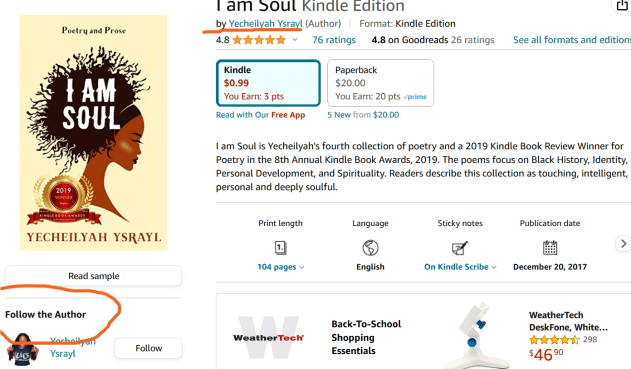
And be taken to a page that looks like this….
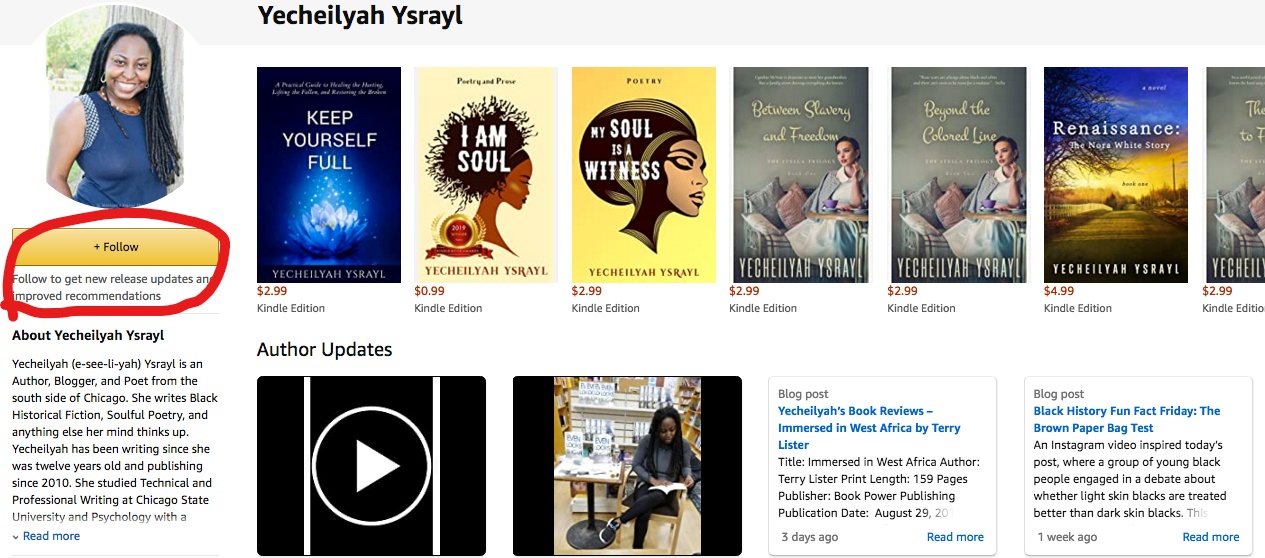
Update: The page looks different now, but it still lists your books and other info as shown.
There’s an author photo, bio, display of all the books you have on Amazon next to your photo, and at the bottom. You can also add your blog feed to your page and videos.
Update: You can no longer add your blog feed.
Getting Started
First, go to https://authorcentral.amazon.com/ and sign in.
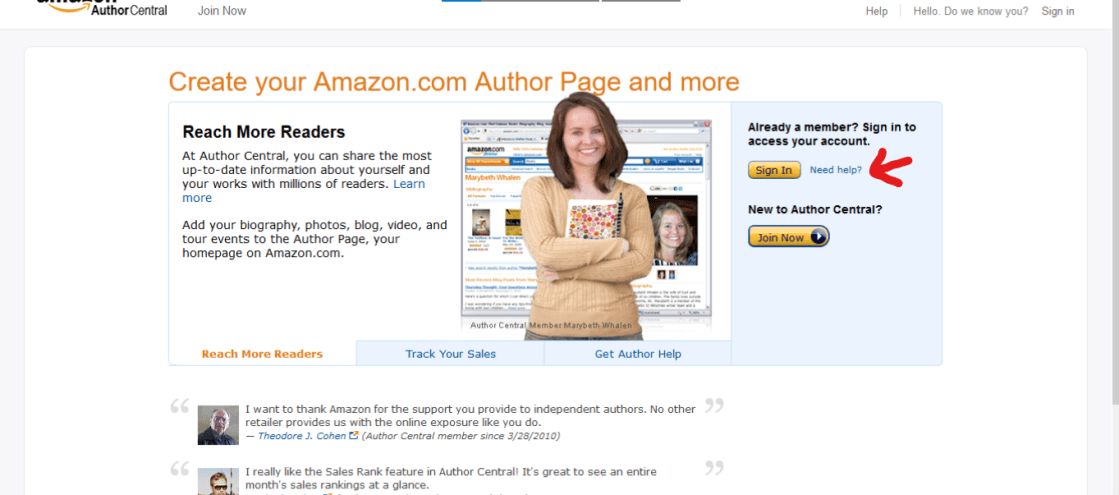
The layout of the page has changed. You used to see this page…
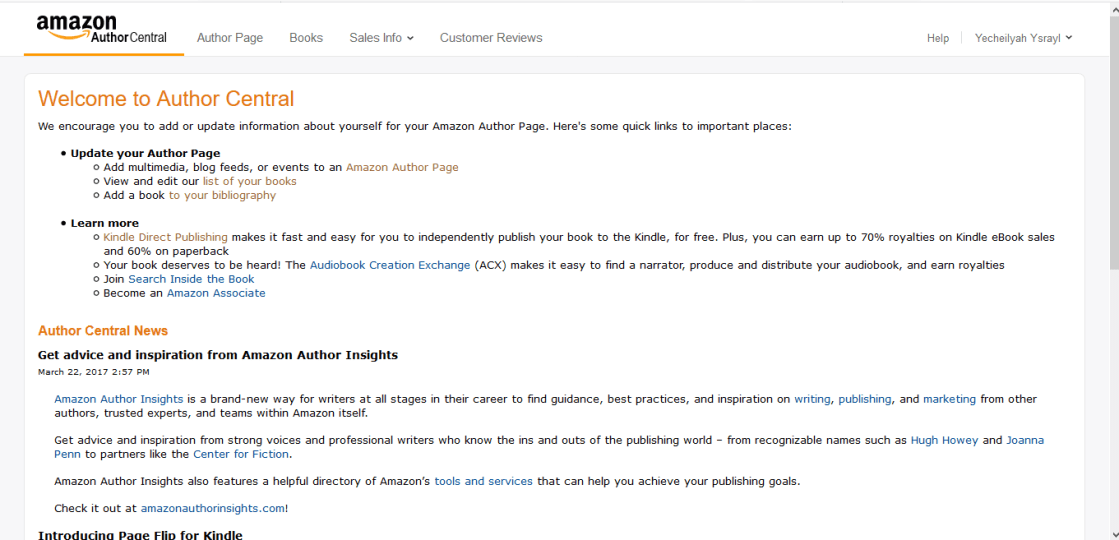
Now it looks like this…
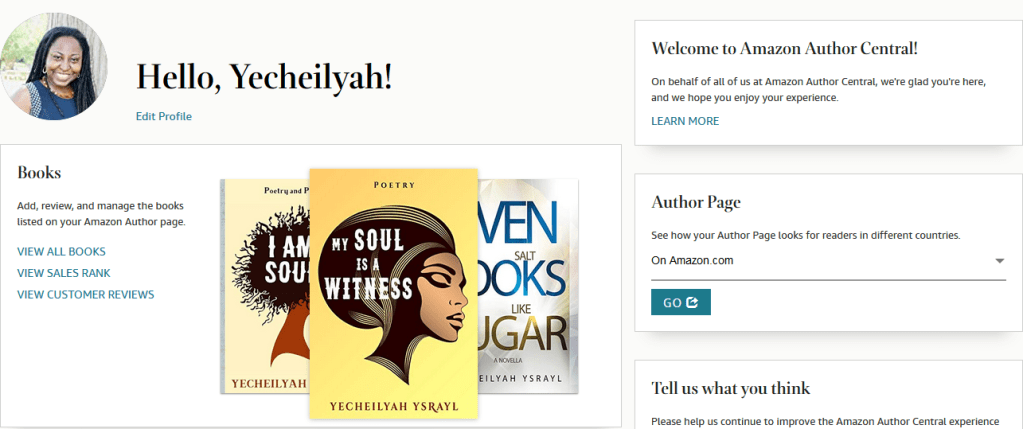
And it is a lot easier to set up this way.
On this page, go to Edit Profile
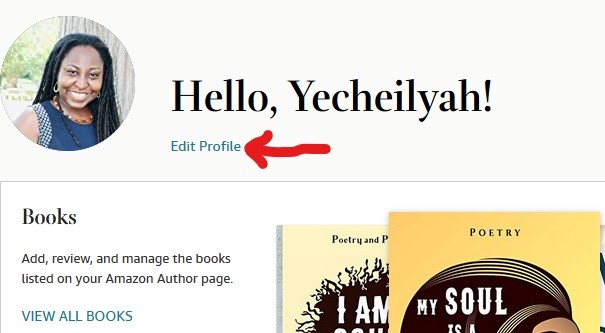
It will take you to a page that looks like this.
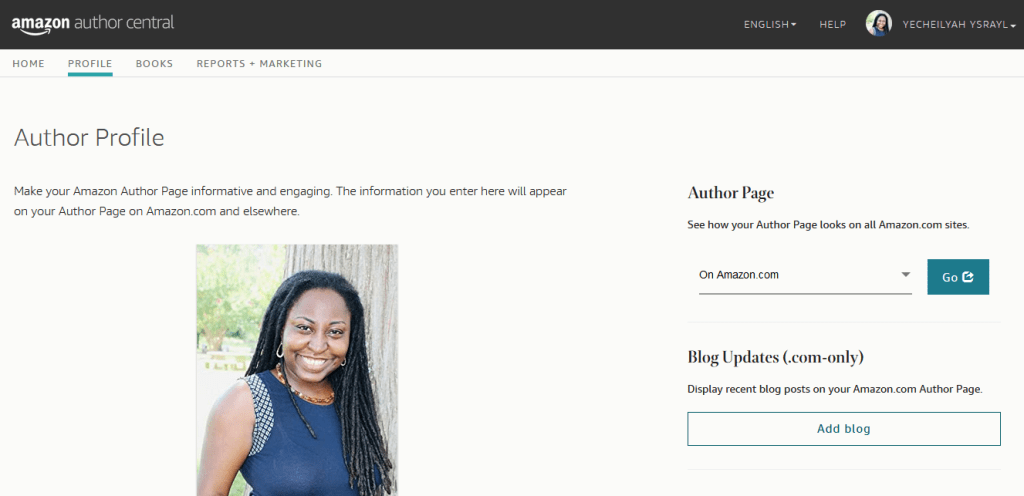
Upload your photo here…
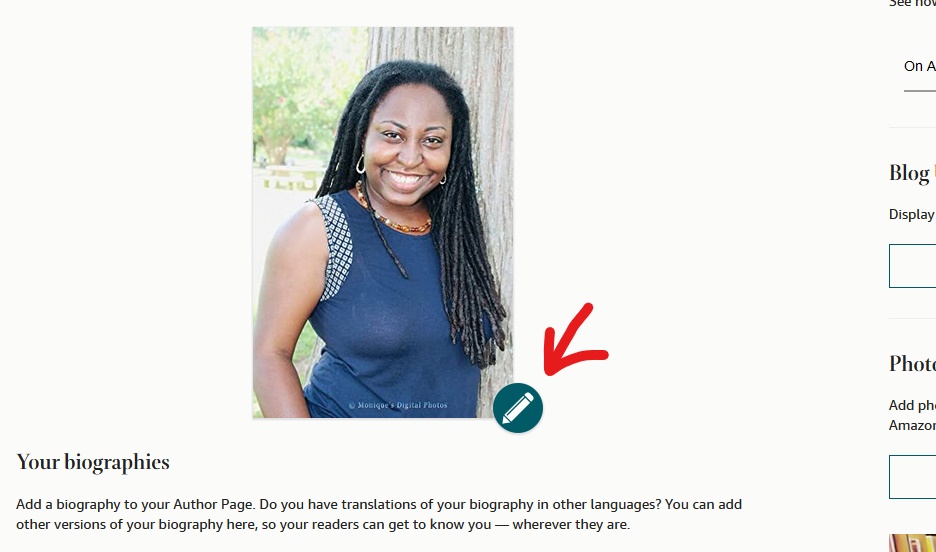
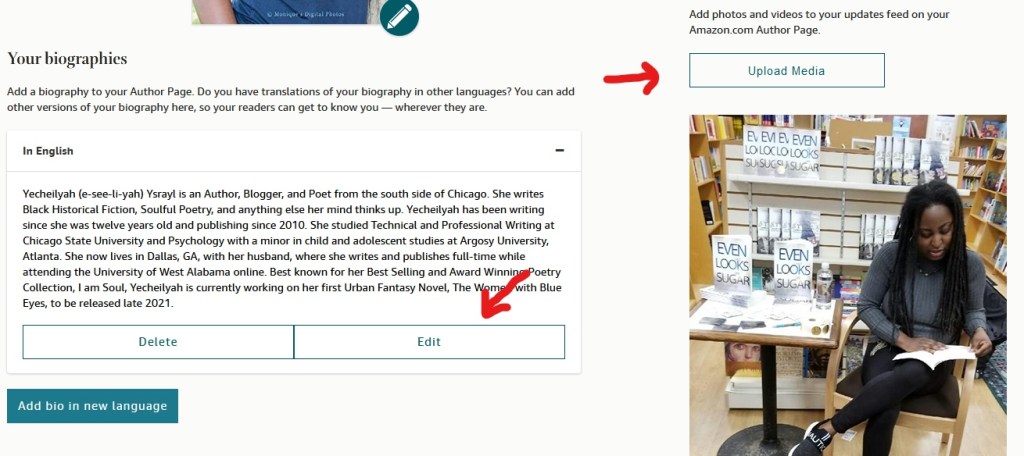
Add a bio here and media like photos and video
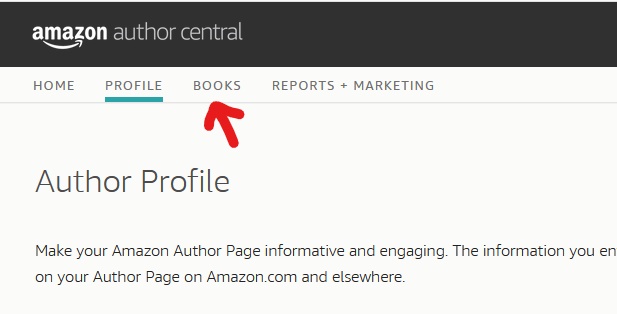
Now add your books…
Scroll back up and click on Books
It will take you to a page that looks like this. If you have books already added you should see them here.
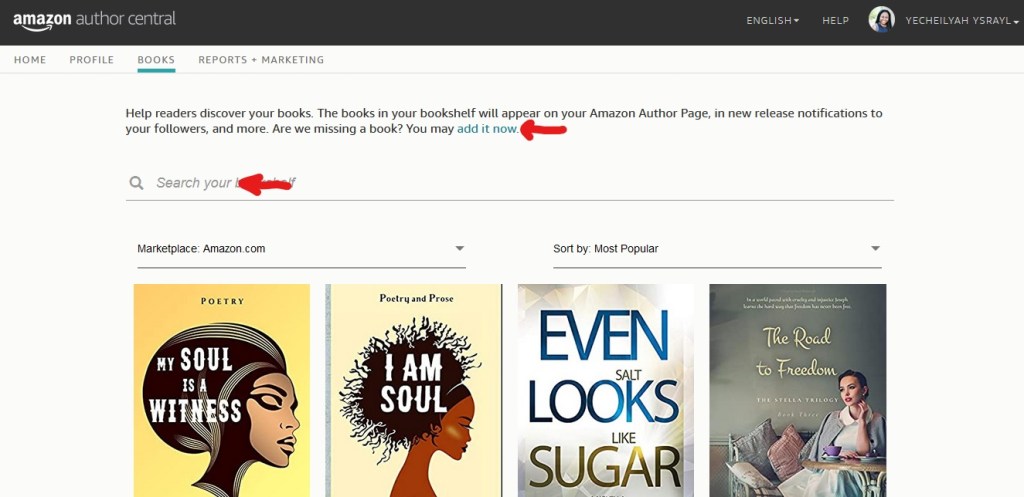
If you have no books added, simply click on the Add a Book Button
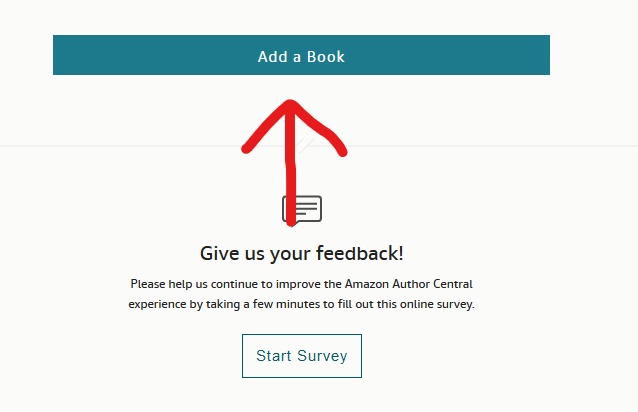
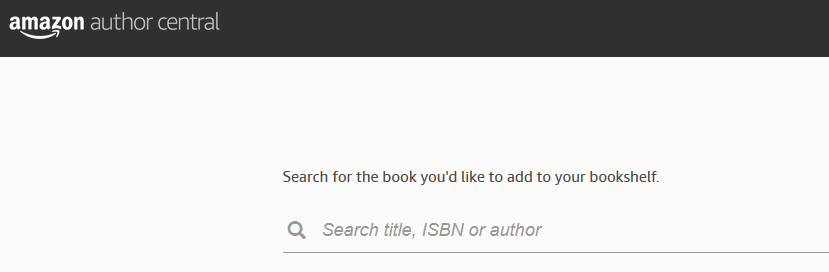
And then search your book on Amazon by your Name, Title, or ISBN
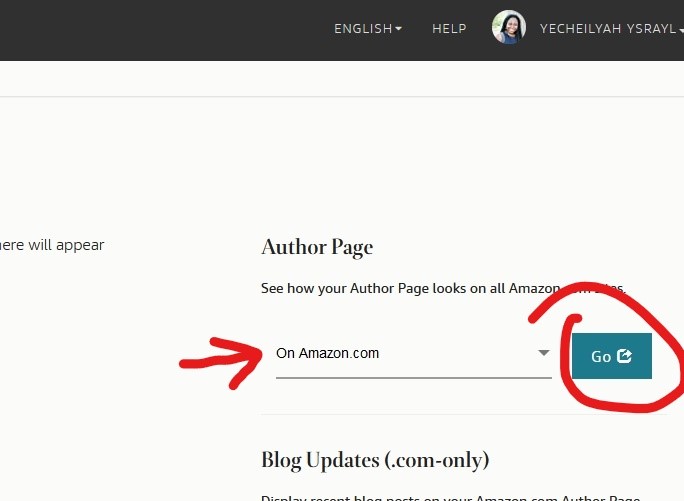
Now go back to profile and click here to see your page on Amazon.
It should take you back to this page
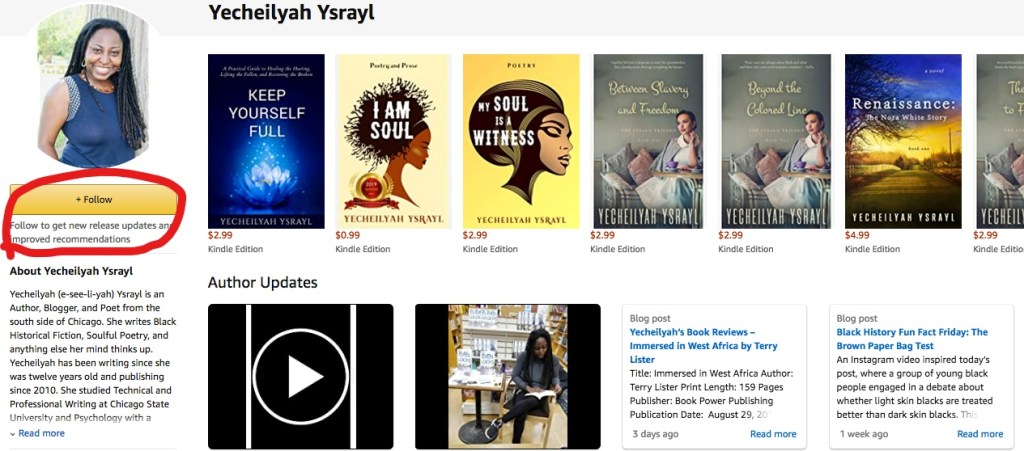
Now test it. Go back to your page and click on your name.
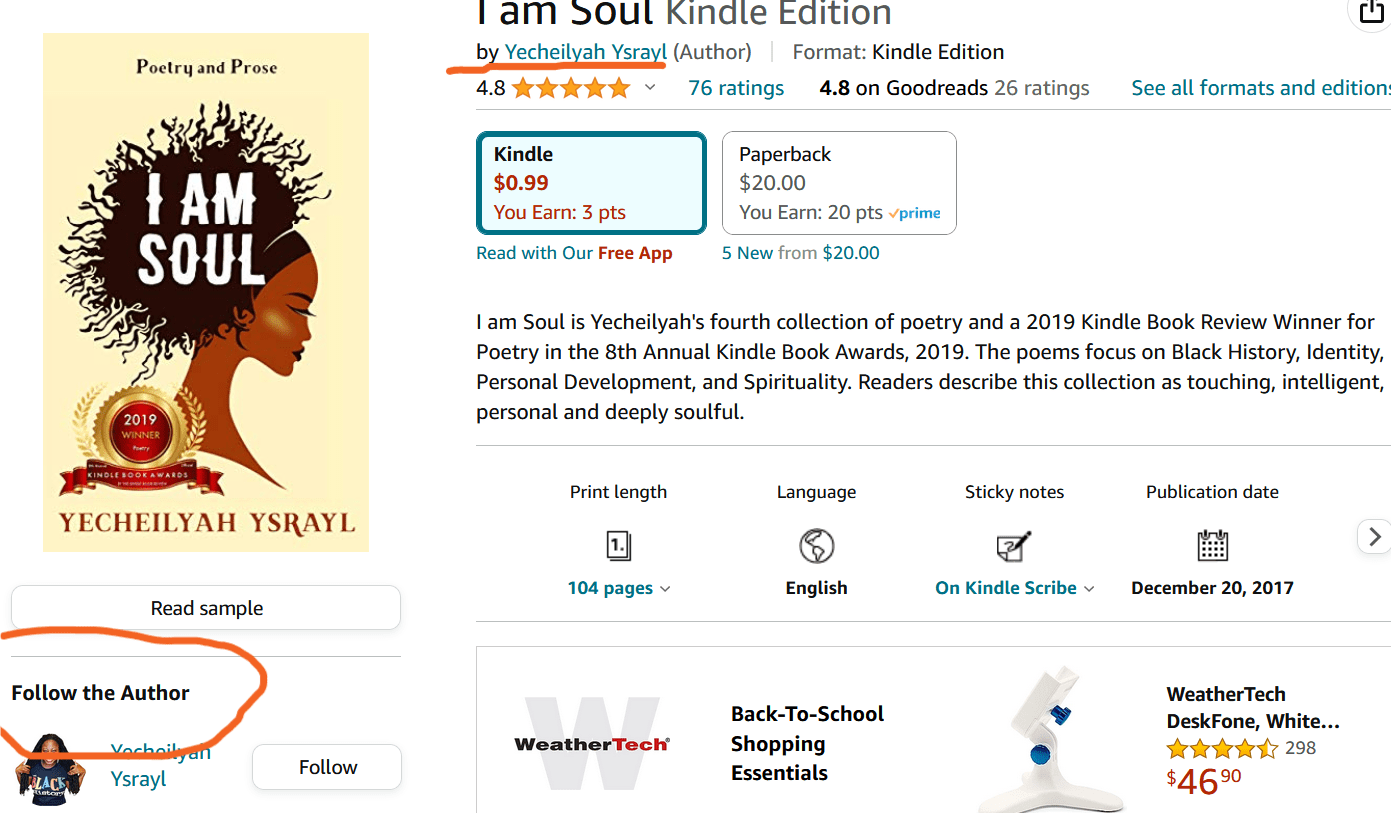
If set up correctly, it should take you back to the page you just left.
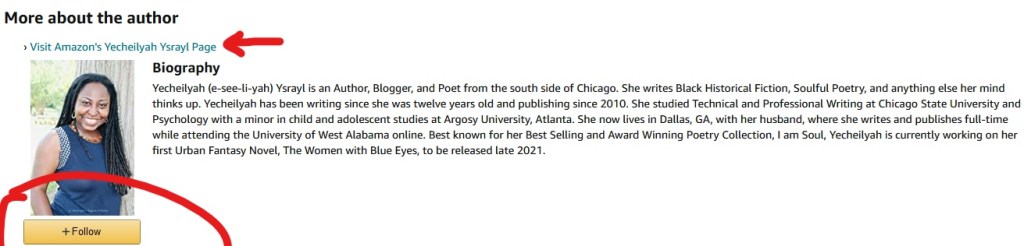
Another thing that makes this cool is that your bio will also show up on the book page where readers have bought it. And once again, it is the opportunity for readers to follow you! It looks like this.


Leave a Reply